
Log in seconds
A built-in number pad, category chips ordered by your habits, and smart title suggestions. Made a typo? Undo is one tap away.
Offline-first expense tracker
Spendly logs an expense in seconds, shows your month at a glance, and keeps your data on your own device — no account, no internet needed.
✓ Saved — Undo available
✓ 100% offline
What it does for you
A built-in number pad, category chips ordered by your habits, and smart title suggestions. Made a typo? Undo is one tap away.
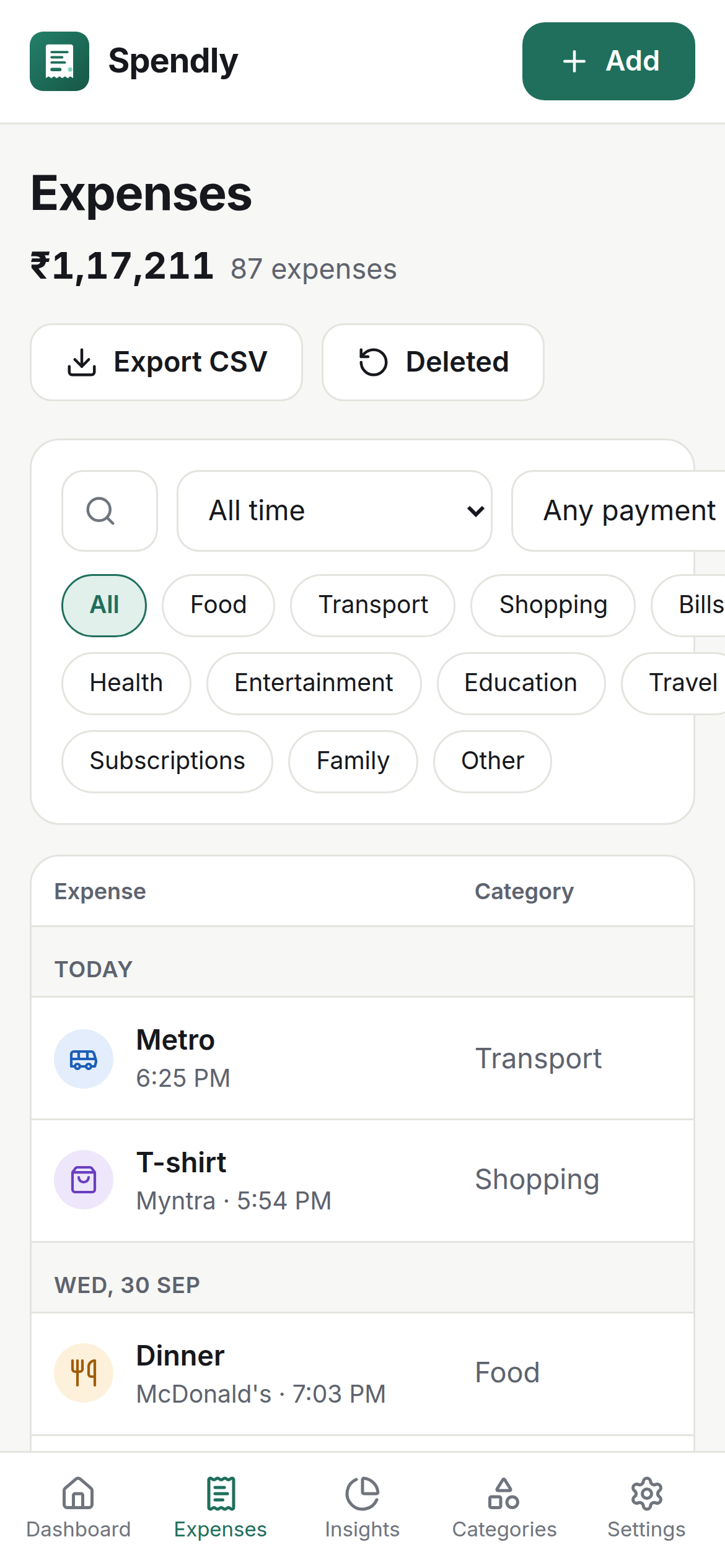
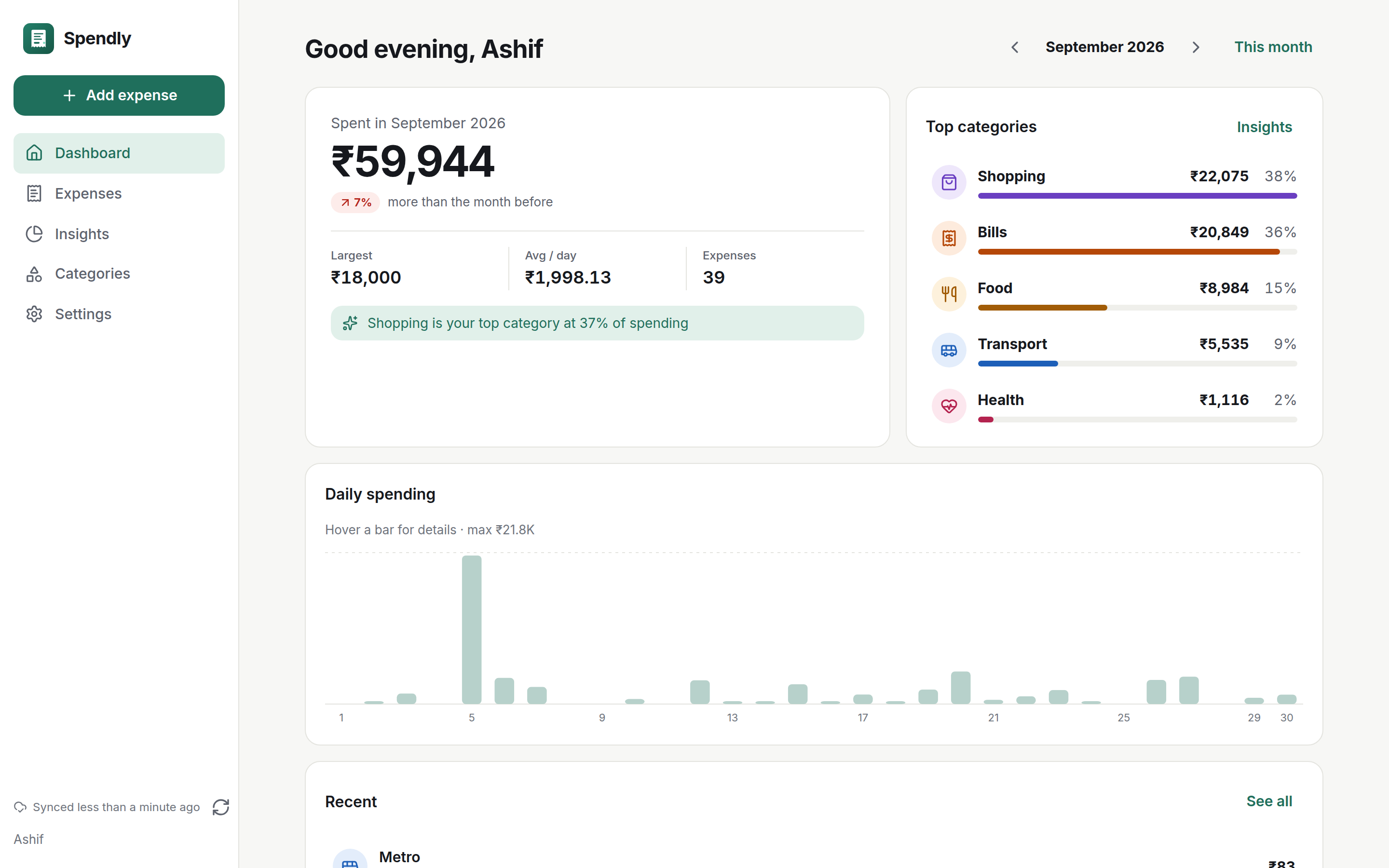
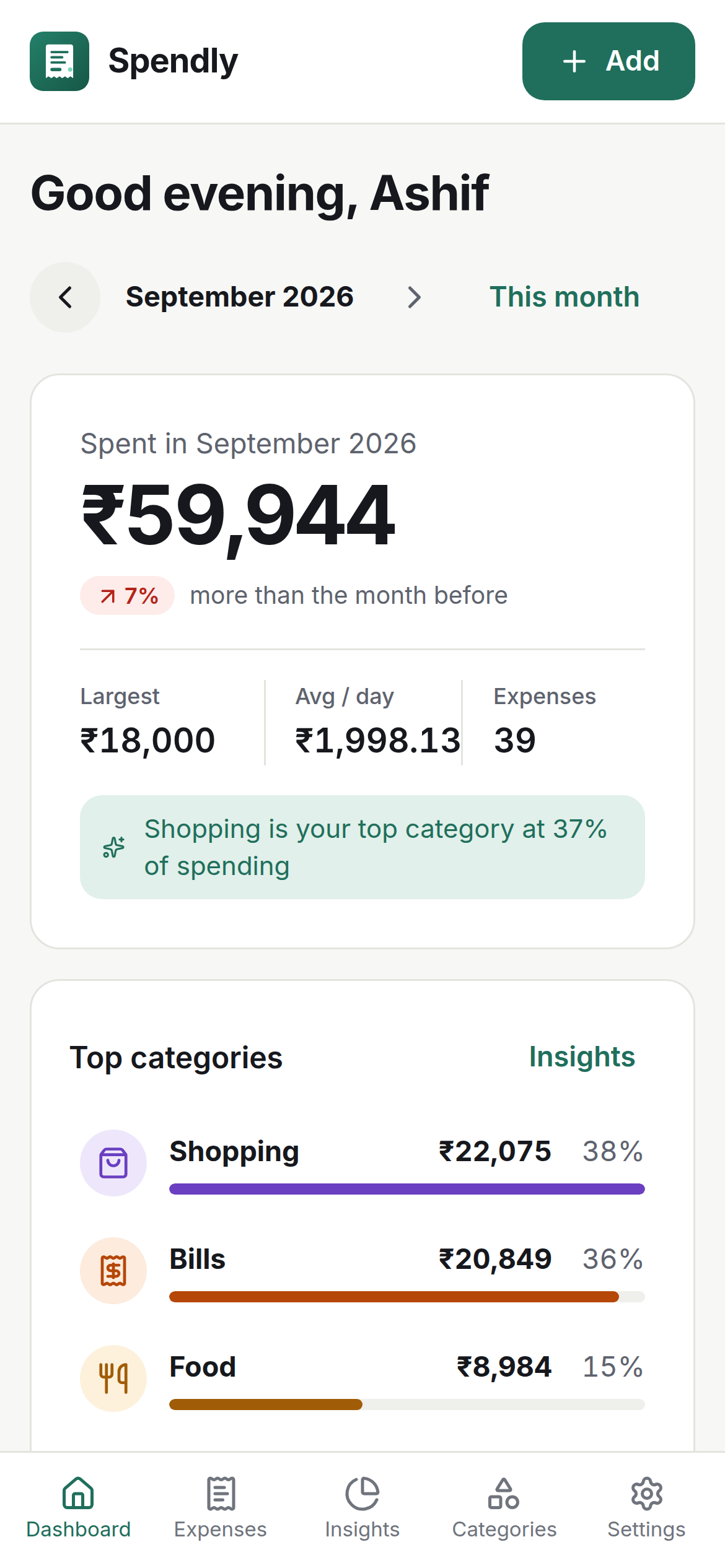
Spent, Today, and Average per day up top. A tappable daily chart, category breakdown, and recent expenses below.
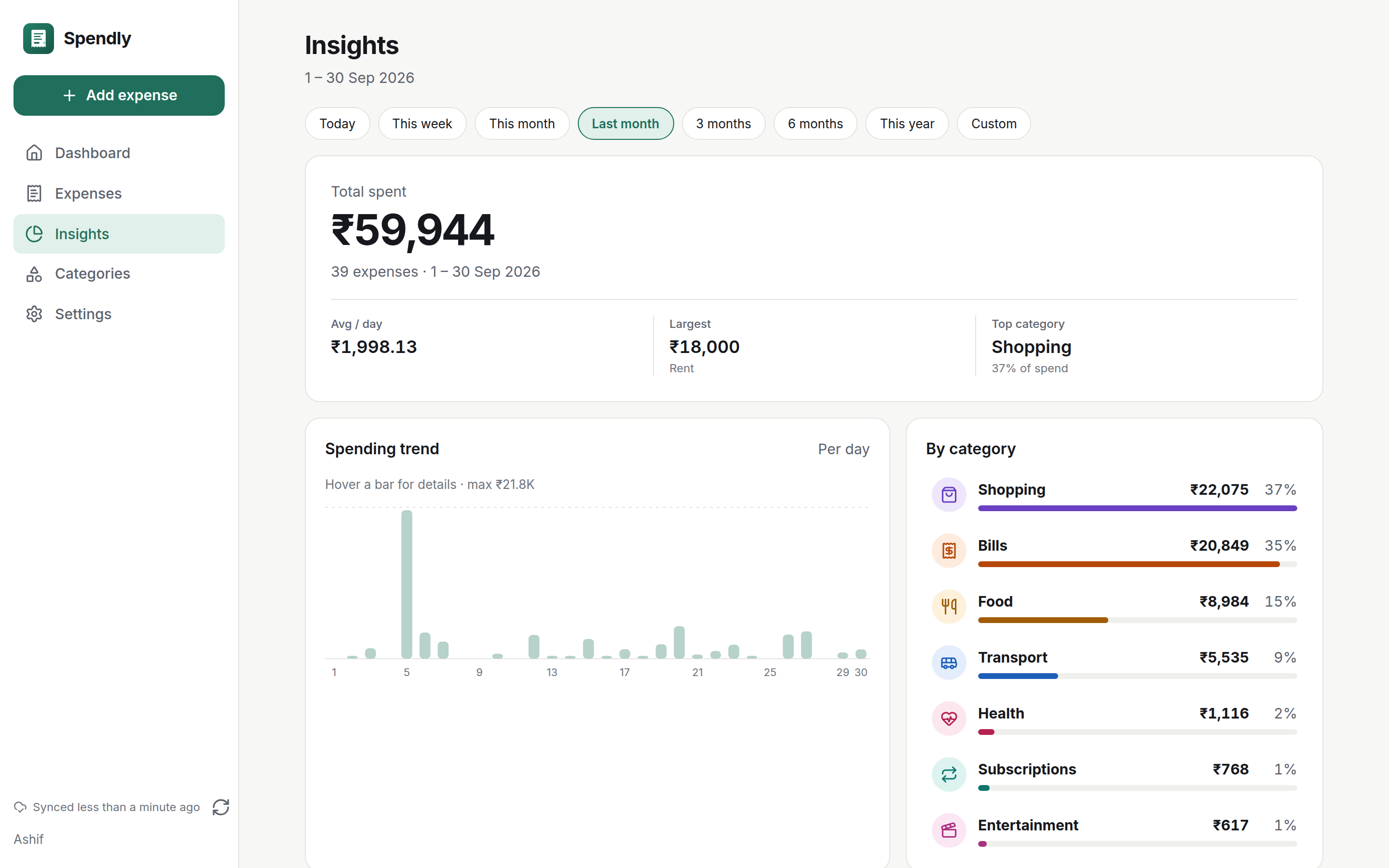
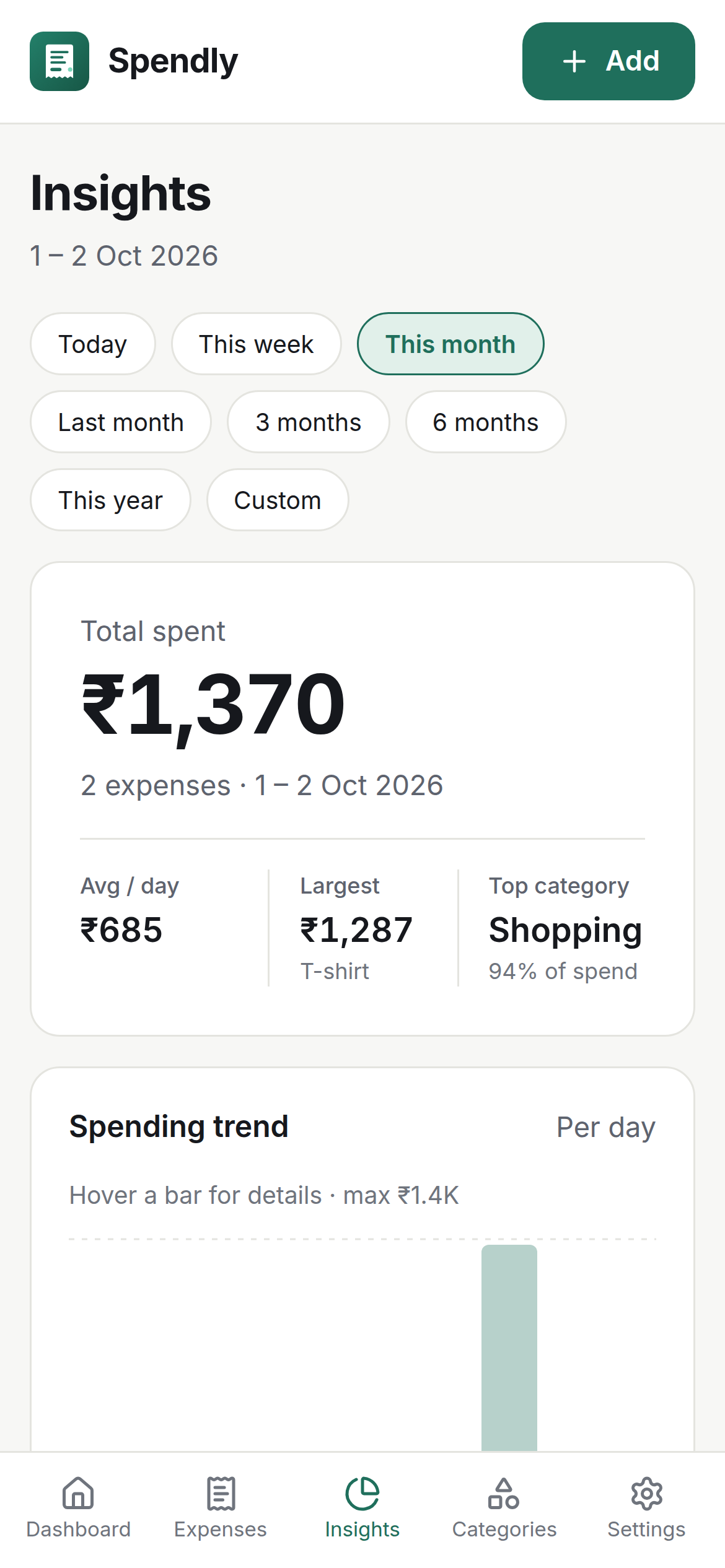
Insights over any range: trends, category distribution, a 6-month comparison, and per-category drift.
Receipts
Snap a photo or pick from the gallery. Spendly compresses it small, attaches it to the expense, and opens it in a pinch-zoom viewer when you need proof.
For real life
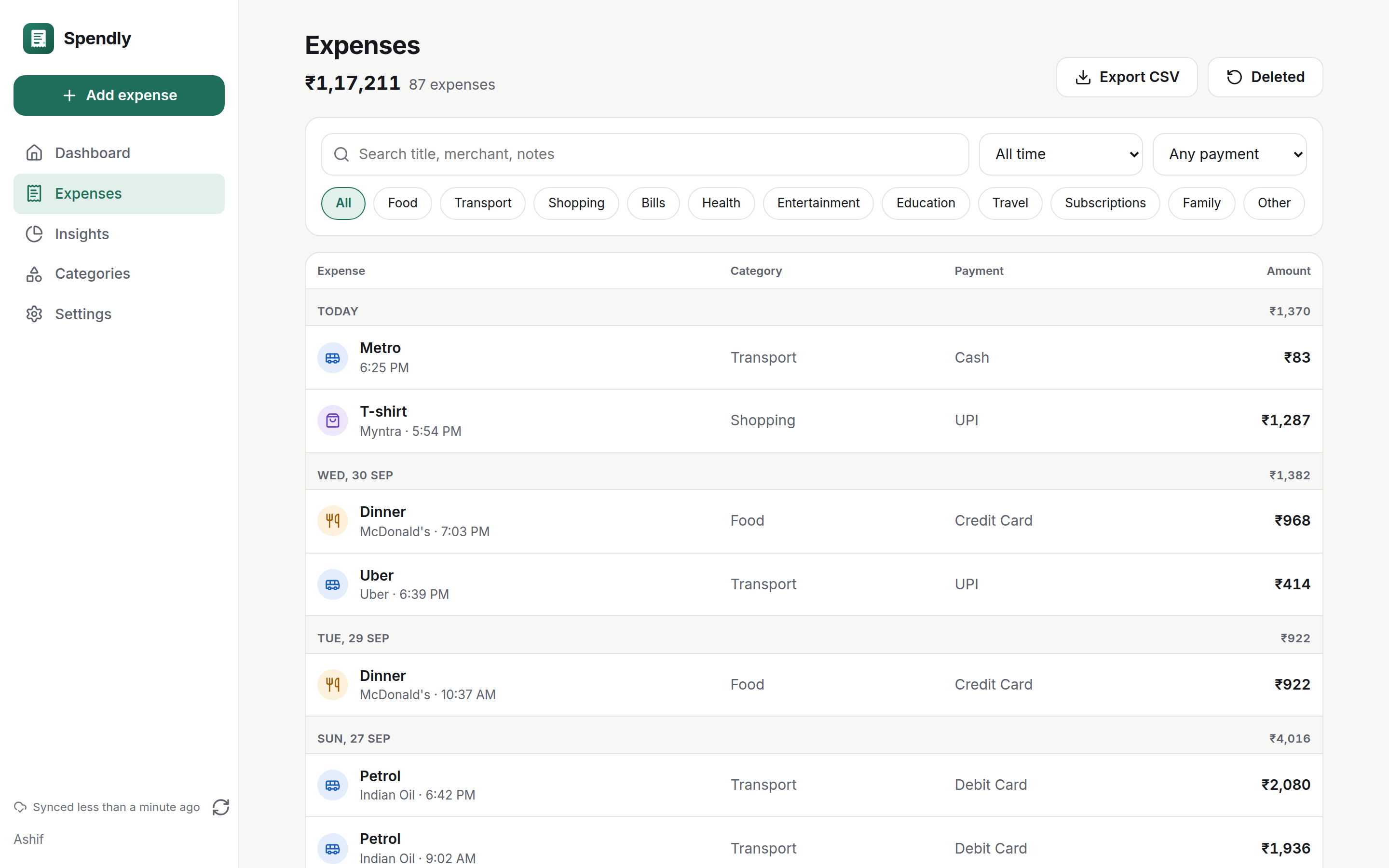
Today and Yesterday chips, search across titles and notes, filters by category, date, method or amount — and a Trash that forgives for 30 days.
Who it's for
Build the habit early: two-tap logging between classes, a clear monthly picture, and zero cost or account friction.
Irregular income, client receipts, deductible lunches — attach proof as you go and export CSV at tax time.
Groceries, rent, utilities in one list. Optional phone + PIN backup keeps every device in sync.
Why Spendly
| What matters | Spendly | Spreadsheets | Typical cloud apps |
|---|---|---|---|
| Works fully offline | ✓ | ✓ | Needs internet |
| No account to start | ✓ | ✓ | Sign-up required |
| Receipt photos on expenses | ✓ | ✕ | Varies |
| PIN / fingerprint app lock | ✓ | ✕ | Varies |
| Insights + 6-month trends built in | ✓ | Manual formulas | ✓ |
| Your data, exportable anytime | JSON + CSV | It's a file | Varies |
Screens
Every capture below is Spendly itself — phone and web.
Questions
No. Spendly works fully offline with no account at all. Signing in with your phone number and a PIN is only for optional backup and sync across devices.
Yes — adding expenses, receipts, the dashboard, and insights all work completely offline. Sync only runs if you explicitly turn on backup.
It lives in a local database on your device. Add a fingerprint or PIN app lock — which also blocks screenshots — and nothing leaves the phone unless you enable backup and sync.
Every save shows an Undo toast, and deleted expenses stay restorable in Trash for 30 days.
Anytime: JSON backup and restore, CSV export for spreadsheets, or erase everything from Settings.
A preview APK is published from EAS cloud builds. Until the first build ships, use the web app above — the download button on this page turns into a direct link the moment the APK URL is configured.
An Android app and a web dashboard sharing the same data model and design language.
Your first expense takes less than a minute — no account, no setup.
Android preview build — coming soon.